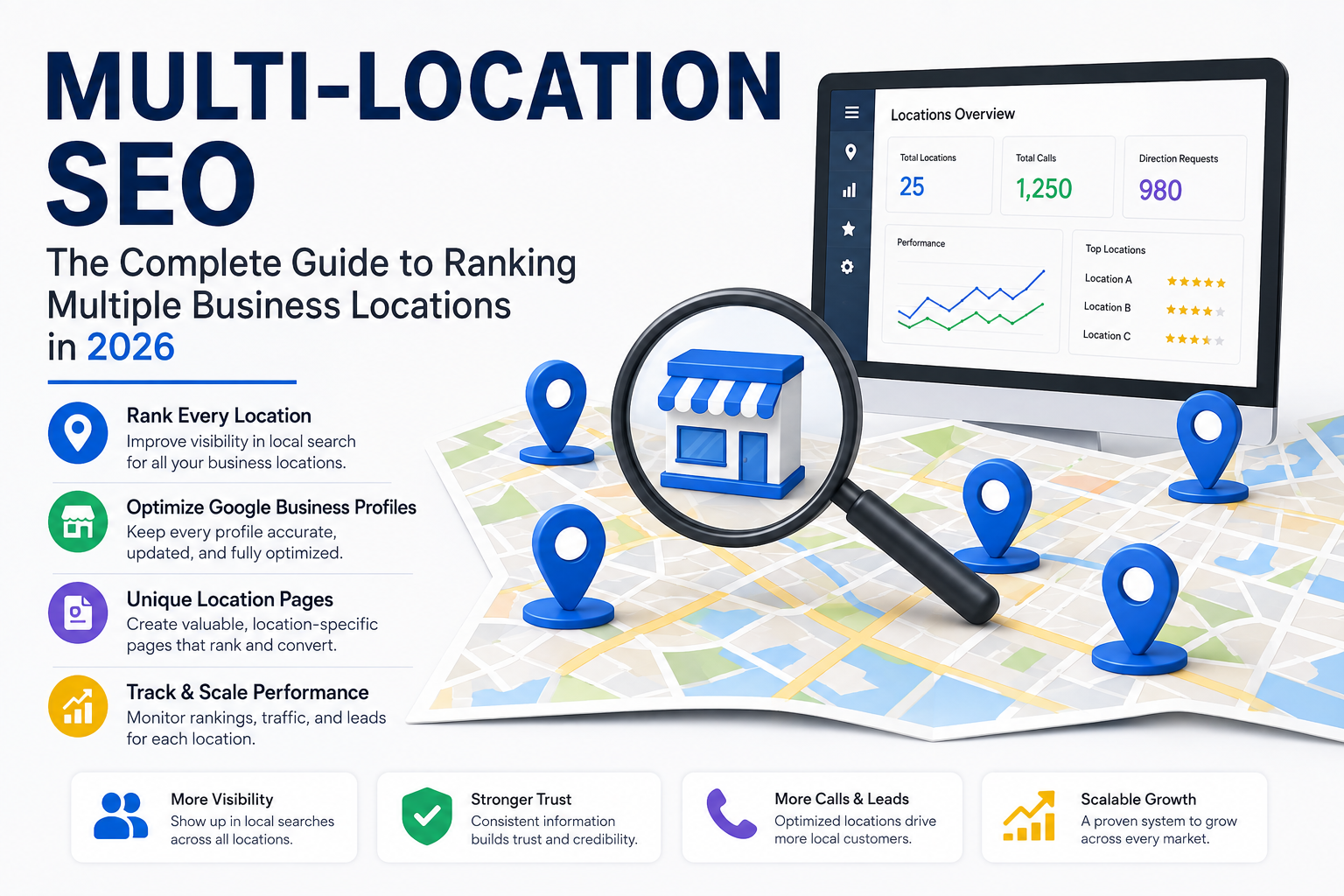
Multi-Location SEO: The Complete Guide to Ranking Multiple Business Locations in 2026
Running one location and getting it to rank on Google is hard enough. Running five, twenty, or a hundred locations and getting all of them to rank — without them competing against each other, confusing Google, or drowning in duplicate content — is a different problem entirely.
Most multi-location SEO advice online is really just single-location SEO advice repeated a few times. That's not enough. Multi-location SEO has its own set of rules, its own failure points, and its own opportunities that a single storefront will never run into. This guide walks through what actually works in 2026, from location pages to duplicate listings to the operational side of keeping dozens of Google Business Profiles accurate at once.
What Makes Multi-Location SEO Different
With a single location, your job is relatively straightforward: build authority, optimize one Google Business Profile, and rank for searches around one city or service area. With multiple locations, you're managing all of that in parallel — and every location is, in some sense, competing for the same visibility budget as every other location on your own site.
The core challenges that show up almost immediately:
- Duplicate content risk. If your location pages are copy-pasted with only the city name swapped, Google may treat them as near-duplicates and struggle to rank any of them well.
- Cannibalization. Two location pages targeting overlapping areas can end up competing against each other instead of your competitors.
- Google Business Profile management at scale. Keeping hours, categories, services, and photos accurate across dozens of listings is an operational challenge, not just an SEO one.
- Inconsistent NAP data. The more locations you have, the more opportunities there are for a phone number or address to be wrong somewhere — an old citation, an outdated directory listing, a location that moved two years ago.
- Diluted authority. A single strong domain has to spread its authority across many location pages instead of concentrating it on one.
None of these are reasons to avoid expanding — they're just the specific problems a proper multi-location SEO strategy needs to solve for.
Step 1: Build a Location Page for Every Location — Done Right
Every physical or service-area location should have its own dedicated page on your website. This isn't optional if you want each location to have a real shot at ranking locally. But the way most businesses build these pages is the exact reason they underperform.
A location page that's just your homepage copy with the city name find-and-replaced won't rank, and it risks being flagged as thin or duplicate content. Instead, each location page needs genuinely unique elements:
- A real, specific description of that location — not a templated paragraph reused everywhere.
- Local details that actually differ: service area, local phone number, staff or manager names where relevant, parking or accessibility notes, and any location-specific services or specialties.
- Local reviews and testimonials specific to that location, not a generic pool shared sitewide.
- Embedded Google Maps directions for that specific address.
- Local schema markup (LocalBusiness schema) unique to that location's NAP data.
- Photos of that actual location — not stock imagery or photos borrowed from a different branch.
Think of each location page as its own mini-homepage, built to convince both Google and a local customer that this specific location is real, active, and relevant to their specific search.
Step 2: Decide Between Location Pages and Service Area Pages
Not every business needs a traditional "location page" in the sense of a physical address. If you're a service-area business — landscaping, plumbing, mobile detailing — you may need service area pages instead, built around the cities or regions you serve rather than a storefront address.
The distinction matters for how you structure content:
- Location pages center on a physical address, hours, and an in-person experience. Think retail stores, restaurants, medical practices, and offices.
- Service area pages center on the areas you travel to and serve, without necessarily disclosing an exact address. Think contractors, home services, and mobile businesses.
Some businesses need both — a physical headquarters plus a broader service radius around it. In that case, build one strong location page for the physical address and separate, genuinely useful service area pages for the surrounding cities you serve, each with real local detail rather than a thin, interchangeable template.
Step 3: Avoid Duplicate Content Across Location Pages
This is where most multi-location websites quietly sabotage themselves. It's tempting to build one page, duplicate it twenty times, and swap out the city name. Google's systems are good at detecting this pattern, and pages that read as near-duplicates of each other tend to get filtered out of results rather than competing fairly.
Practical ways to avoid this:
- Write unique introductory and closing paragraphs for every location, even if the core service description stays similar.
- Vary the structure between pages, not just the words — different photo placement, different local highlights, different FAQ questions relevant to that specific area.
- Include hyper-local details that genuinely can't be copy-pasted: nearby landmarks, local regulations or considerations relevant to your industry, local case studies or client examples.
- If you have dozens or hundreds of locations, consider a tiered approach — build fully custom pages for your highest-priority or highest-traffic locations, and a leaner but still genuinely differentiated template for lower-priority ones, rather than treating every page identically regardless of scale.
Step 4: How Many Location Pages Do You Actually Need?
More isn't automatically better. A location page only makes sense if there's a real audience searching for that specific area, and if you can genuinely serve it. Businesses sometimes create dozens of thin service-area pages purely to try to rank for extra zip codes, and this tends to hurt more than it helps — both from a content-quality perspective and from a resource perspective, since maintaining genuinely unique content across too many pages becomes unrealistic.
A more sustainable approach: build a dedicated page for every physical location, and for service areas, prioritize the cities or regions with real search volume and real business potential — not every town technically within driving distance.
Step 5: Manage Google Business Profiles at Scale
Every location needs its own Google Business Profile, fully optimized using the same fundamentals that apply to a single-location business — accurate NAP data, the right primary category, a complete services list, regular photos, and active review management. The difference at scale is operational.
A few things that matter specifically for managing many profiles:
- Use bulk management tools through Google's Business Profile Manager to update hours, categories, or attributes across multiple locations at once, rather than manually editing each one.
- Assign clear ownership. Someone — whether that's a local manager or a centralized marketing team — needs to be responsible for keeping each profile's information accurate and its reviews responded to.
- Standardize categories across locations where the business model is identical, so Google doesn't see inconsistent signals about what your business actually is from one location to the next.
- Keep photos current at every location, not just flagship ones. A profile with a two-year-old cover photo signals neglect regardless of how well the rest of your brand performs.
- Verify every listing properly. Bulk verification through Business Profile Manager is available for businesses managing ten or more locations, and it's worth setting up correctly from the start rather than verifying locations one at a time as they're added.
Step 6: Eliminate Duplicate and Incorrect Listings
Duplicate listings are one of the most common — and most damaging — problems multi-location businesses run into, especially after a rebrand, a location move, an acquisition, or simply years of directory submissions piling up. A location with two competing Google listings splits its reviews, its photos, and its ranking signals across two weaker profiles instead of consolidating them into one strong one.
Periodically audit for:
- Old listings from a previous address that were never properly updated or merged.
- Listings created by directory aggregators without your direct involvement.
- Near-identical business names creating separate, competing profiles for the same physical location.
Cleaning these up isn't glamorous work, but it's often one of the highest-impact fixes available to an underperforming multi-location business, because it consolidates ranking signals that were previously being split and wasted.
Step 7: Build Citations Consistently Across Every Location
Citations — mentions of your business name, address, and phone number across directories, industry sites, and local publications — matter even more at scale, because inconsistency compounds with every additional location. One wrong phone number for one location is a minor issue. The same mistake replicated across dozens of directories for dozens of locations becomes a real trust and ranking problem.
Build a systematic process: a master spreadsheet or citation management tool with the exact, correct NAP data for every location, and a regular audit cycle to catch and fix inconsistencies before they spread further across the web.
Step 8: Track Rankings and Performance Per Location
An aggregate view of your multi-location SEO performance can be dangerously misleading. Ten strong locations can easily mask three that are quietly underperforming — and if you're only looking at company-wide numbers, you might never notice until revenue at those specific locations has already suffered.
Track, at minimum:
- Google Maps rankings for each location's core search terms
- Google Business Profile performance data (calls, direction requests, website clicks) per location
- Organic traffic and conversions per location page
- Review volume and rating trends per location, not just company-wide averages
Reviewing this monthly, location by location, is the only reliable way to catch a problem early enough to fix it before it becomes a pattern.
Step 9: Handle Franchise-Specific Considerations
If your multi-location business operates as a franchise, there's an added layer of complexity: individual franchisees often want some control over their own local marketing, while the parent brand needs consistency across the entire system.
A workable structure usually involves:
- A centrally managed brand-level website with strong location pages for every franchise location, maintained by the corporate or marketing team.
- Clear guidelines for what franchisees can and can't customize on their local profiles, to avoid brand inconsistency or duplicate content issues.
- Centralized citation and NAP management, even if day-to-day review responses are handled locally by each franchisee.
- Regular audits across the entire franchise network, since a single franchisee mismanaging their local listing can create ranking or trust problems that affect the broader brand.
Common Multi-Location SEO Mistakes
A few patterns show up repeatedly across multi-location businesses:
- Templated, near-duplicate location pages that read as generic to both users and search engines.
- Inconsistent NAP data scattered across old citations, directories, and outdated profiles.
- Duplicate Google Business Profiles for the same physical location, splitting signals unnecessarily.
- No clear ownership of local listing accuracy, leading to stale hours, outdated services, and unanswered reviews at individual locations.
- Treating every location identically regardless of how much real search demand or business potential exists in that area.
- Ignoring per-location performance data in favor of company-wide averages that hide real problems.
How to Prioritize Locations When You Can't Do Everything at Once
Realistically, most multi-location businesses can't build custom, fully-optimized pages and profiles for every location simultaneously — especially if you're managing dozens or hundreds of them. A practical prioritization approach helps you get the highest return on effort first.
Start by ranking your locations using a few factors:
- Search volume in that market. A location in a dense metro area with high search demand deserves more content investment than one in a small town with minimal local search activity.
- Current performance gap. Locations that are already close to ranking well often need less work to push over the edge than locations starting from zero visibility.
- Revenue potential. Not every location contributes equally to the business — weighting SEO investment toward your highest-value markets is usually the right call.
- Competitive intensity. A location competing against five well-optimized competitors needs more attention than one with weak local competition.
Once you've ranked locations this way, build a rollout plan: fully custom pages and deep GBP optimization for your top tier, a solid but leaner treatment for your middle tier, and a consistent baseline — accurate NAP, complete profile, basic unique content — for the rest. This keeps quality high where it matters most instead of spreading effort too thin across every location equally.
Measuring ROI Across a Multi-Location Campaign
Multi-location SEO is a bigger investment than single-location SEO, and it's worth measuring it accordingly rather than just watching overall traffic climb.
A few metrics worth tracking on an ongoing basis:
- Cost per location versus revenue generated per location, so you can see which markets are actually paying off and which need a different approach entirely.
- Ranking improvement velocity by location tier — your top-priority locations should show measurable movement faster than your baseline-tier locations, and if they don't, that's worth investigating.
- Lead and call volume trends per location over time, cross-referenced with any local changes (new competitors opening, seasonal demand shifts, local events).
- Review growth rate per location, since this often correlates directly with both prominence and customer trust at that specific market.
Reporting this at the location level, not just as a company-wide summary, is what turns multi-location SEO from a broad marketing expense into a set of individually accountable local investments.